From version 4.0 Internet Explorer has had the ability to bind certain HTML elements to a client-side data source. Pretty much any data you can access with ADO you can use as a data source but the one we've used most commonly at work is XML. By adding some attributes to your HTML elements e.g.
<input type="text" datasrc="#dsoComposers" datafld="compsr_last"/>you can get them to render out the data from the data source and, in the case of inputs, persist any changes back to the source. Additionally, if you have a multi-row data source and you bind it to a table the contents of the tbody tag are duplicated for each row.
This is very useful for making web applications because:
- you only send the raw data along with a small amount of rendering HTML to the client
- the client edits the data, adding/deleting rows without postbacks
- the client posts back structured data rather than a ton of awkwardly named querystring variables
- you need no presentation code for translating your data to or from HTML
All this considered I thought I'd have a go at creating a simple cross-browser version of this databinding functionality in jQuery with a limited feature set.
Features to implement
For this proof of concept I decided the features I would try and implement were:
- Support for JSON as a data source
- Repeat rendering of a table's tbody section for each item in an array of objects
- CSS class name based way of tying properties of the objects to HTML elements
- Rendering of property values within HTML elements innerHTML or value
- Attaching of event handlers to persist data changes on inputs back to the array data source
- Some ability to reflect programmatic changes to the underlying data source in the bound HTML elements
- Doing the above without needing to fully refresh the HTML every time
Use
Some "template" HTML...
    <table id="info">
      <thead>
        <tr>
          <th>Common name</th>
          <th>Origin</th>
          <th>First developed</th>
          <th>Use</th>
        </tr>
      </thead>
      <tbody>
        <tr>
          <td class="field[name]"></td>
          <td><input type="text" class="field[origin]"/></td>
          <td class="field[developed]"></td>
          <td class="field[use]"></td>
          <td><button class="field[delete]">Delete Row</button></td>
        </tr>
        <tr>
          <td colspan="4" style="border-bottom: 2px solid #888;"><textarea class="field[comments]" style="width: 100%;"></textarea></td>
        </tr>
      </tbody>
      <tfoot>
        <tr>
          <td colspan="4"><button id="add">Add Item</button></td>
        </tr>
      </tfoot>
    </table>
...some data...
var data = [
   { name: 'Braeburn', origin: 'New Zealand', developed: '1950s, United States', comments: '', use: 'Eating' },
   { name: 'Bramley', origin: 'Southwell, Nottinghamshire, England', developed: 'about 1809', comments: '', use: 'Cooking' },
   { name: 'Cox\'s Orange Pippin', origin: 'Great Britain, New Zealand', developed: 'c. 1829', comments: '', use: 'Eating' },
   { name: 'Empire', origin: 'New York', developed: '1966', comments: 'Lovely white subacid flesh. Tangy taste.', use: 'Eating' },
   { name: 'Granny Smith', origin: 'Australia', developed: '1868, Australia', comments: 'This is the apple once used to represent Apple Records. Also noted as common pie apple.', use: 'Eating or cooking' }
];
...and a small amount of JavaScript...
$(document).ready(function(){
   $('#info').databind(data);
});
The add button handler looks like this...
data.push({ name: '', origin: '', developed: '', comments: '', use: '' });
$('#info').databind(data);
...any code making programmatic changes to the data must recall databind to refresh the bound HTML elements.
Demo
I've set up this quick proof of concept here. I haven't looked at how it performs with large arrays of data but I expect the answer would be badly.
Going forward there may be scope for turning this into a proper jQuery plugin with support for other types of data source and the ability to bind an arbitrary group of elements to some data rather than just a table.


 and selecting "Native Win32 interface for Win NT/2000/XP". Re-run the wizard again from the EAC menu to configure your drives.
 After this finishes you get a status log that gives you a quality percentage, AccurateRip confidence and and errors for each track.
 Thankfully the very nice people responsible for the
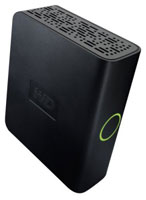 Storage space is only getting cheaper and today you can pick up a 500GB external hard disk, enough for 700 uncompressed albums, for less than £80; the Western Digital
 proving to be a popular choice. There really is no reason why, with this much space, we should be sticking to lossy compression formats for our music archiving. So, with that in mind, what are the options?
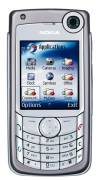 I've recently been going through the yearly trauma of picking a new phone as my free upgrade. It's the same every time - there is never one phone that meets all my criteria so I have to go for the best compromise. The phone I'm upgrading is a Nokia 6680 which is a rather large Symbian smartphone, lacking in both the processor speed and memory stakes. The criteria for my new phone are therefore:
 I've only ever had Nokia phones and have stuck with them mainly because they were a lot more usable than other brands. Nokia's current offerings were leaving me a bit cold however so I've been thinking "surely the other brands must have caught up" and indeed Sony Ericsson's sales are topping Nokia's in the UK at the moment. Anyway I thought I'd give another brand a try so I went for a Samsung U600 as I like the look of their sliders and although it's not a smartphone it is from their new "Ultra Edition 2" line so I thought it would meet my needs.
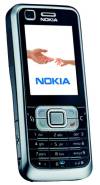 So now I'm back to square one and thinking I'm either going to get a Nokia or another brand only if it's running Symbian so I can be assured of a certain amount of base functionality. So the next two candidates were the Nokia 6300 or the Sony Ericsson W950i - the Sony is missing the all important camera and the Nokia isn't running Symbian so not clear cut by any means. I may have finally found the answer with the Nokia 6120 which is a smartphone, has a camera and is a centimetre narrower and half a centimetre thinner than the 6680. Only problem with this one is that it's not currently available on Orange so I've got to wait for it - Doh!
 Well, i'm back. Thanks to Yahoo! and the BBC for a great weekend. It didn't get off to the best of starts what with the lightning and broken WiFi and all but everyone made the best of it.